PDF Too Large for a Job Application? How to Make Your Resume Smaller
Resume too large to upload? Check the job portal's limit, compress a copy and review the downloaded text, links and layout. If it is still too large, optimize the source images and export again. Keep selectable text for application systems that extract your details.
Resume PDF Too Large? Do This First
- Check the employer or application portal's maximum file-size limit.
- Compress a copy of the resume PDF.
- Download and reopen the compressed file.
- Check that text, formatting and intended hyperlinks still work.
- Upload the verified copy to the job application portal.
Reduce your resume file size before uploading it to a job application.
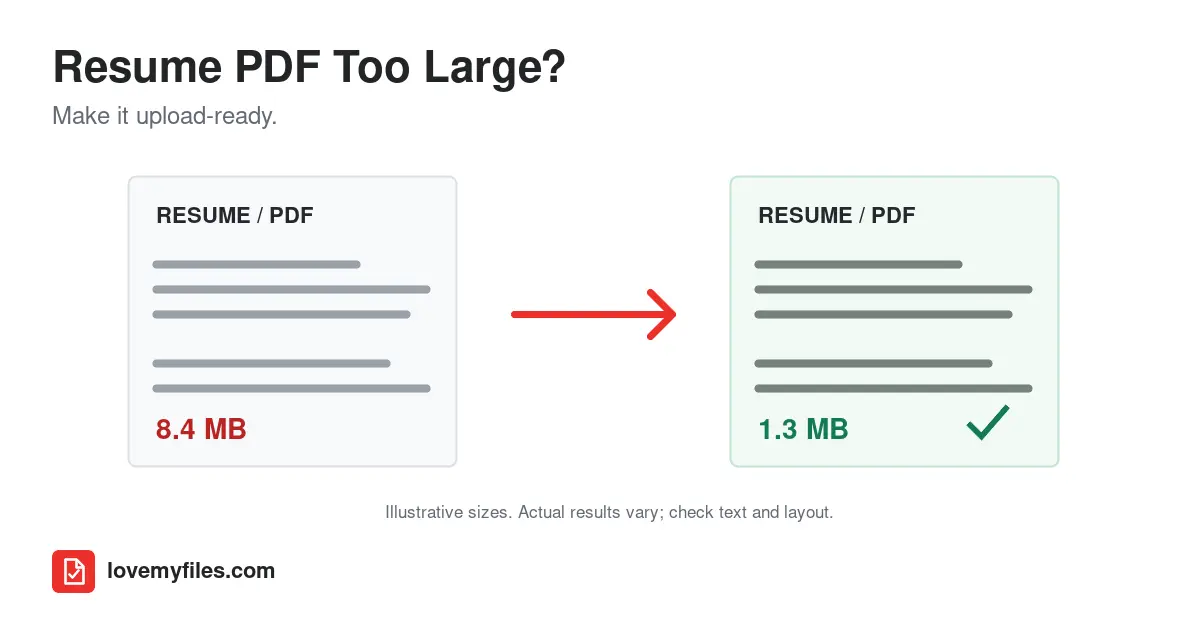
Compress the PDF while retaining readable text, then check the saved file against the portal's limit. If compression is not enough, re-export your editable resume with smaller images or separate supporting documents when permitted. Reopen the result, copy a sentence into a text editor, and inspect the layout before uploading.
A file-size error does not mean your resume needs fewer qualifications. It means the uploaded document exceeds a technical restriction. Other messages, such as "resume upload failed," can also mean the wrong file type, a damaged file, or an interrupted connection. Start with the exact message rather than changing everything at once.
Why Is My Resume PDF So Large?
Text usually occupies much less space than photographs and scans. A short resume can still be several megabytes if it includes a full-page background, a large headshot, or screenshots of portfolio work. Shrinking a picture visually inside a document does not necessarily remove its original pixels from the exported PDF.
A design-heavy resume may contain several fonts, repeated graphics, transparent effects, and high-resolution images. Print-quality exports can retain detail that is unnecessary for reading an application on a screen. An ordinary two-page text document and two scanned pages are therefore very different compression tasks, even when their page counts match.
Embedded fonts help the document display consistently, but many font variations can add weight. Do not remove fonts indiscriminately: missing characters or substituted typography are more damaging than a modestly larger file. Also inspect what you are actually submitting. A resume combined with transcripts, reference letters, and a portfolio is no longer just a resume PDF.
Should you compress this file?
- Already below the portal's limit and readable? Keep it. Smaller is not automatically better.
- Have the editable Word or Google Docs source? Try a clean PDF export first, especially if the current version contains oversized graphics.
- Mostly scanned pages? Image compression may help, but it will not recreate the original document text.
- Cannot select text? Avoid converting the resume into more page images. Rebuild it from the source if possible.
- Only supporting material makes it large? Check whether the application accepts separate attachments before combining or separating anything.
How to Reduce Resume PDF Size for a Job Application
Keep the original in a separate folder. Work on a copy, so you can reverse an unsuitable compression choice without reconstructing your resume.
- Read the upload field's allowed formats, maximum size, and any page-count requirement. Resume and supporting-document fields may have different instructions.
- Check the PDF's actual file size in your computer's file properties or phone's file manager. A rounded display can conceal a file that is slightly over the limit.
- Open LoveMyFiles Compress PDF and select or drop your resume into the upload area.
- Choose High Quality, Recommended, or Maximum Compression. High Quality favors sharper images; Recommended balances image quality and size; Maximum Compression uses lower image quality. Start conservatively if small text appears inside scans.
- Select Compress PDF and wait for processing to finish. The displayed estimate is not a guaranteed final size.
- Download the result and check its saved size, not only the estimate. LoveMyFiles uses compression presets; it does not guarantee a custom 2 MB or 5 MB PDF target.
- Reopen the downloaded copy. Check every page, your contact details, bullet points, fonts, and any intended hyperlinks.
- Select and copy a sentence into a plain-text editor. Check that the text remains readable and that sections appear in a sensible order.
- Upload this reviewed copy to the application field. Confirm that the portal shows the attachment and, where available, preview it again.
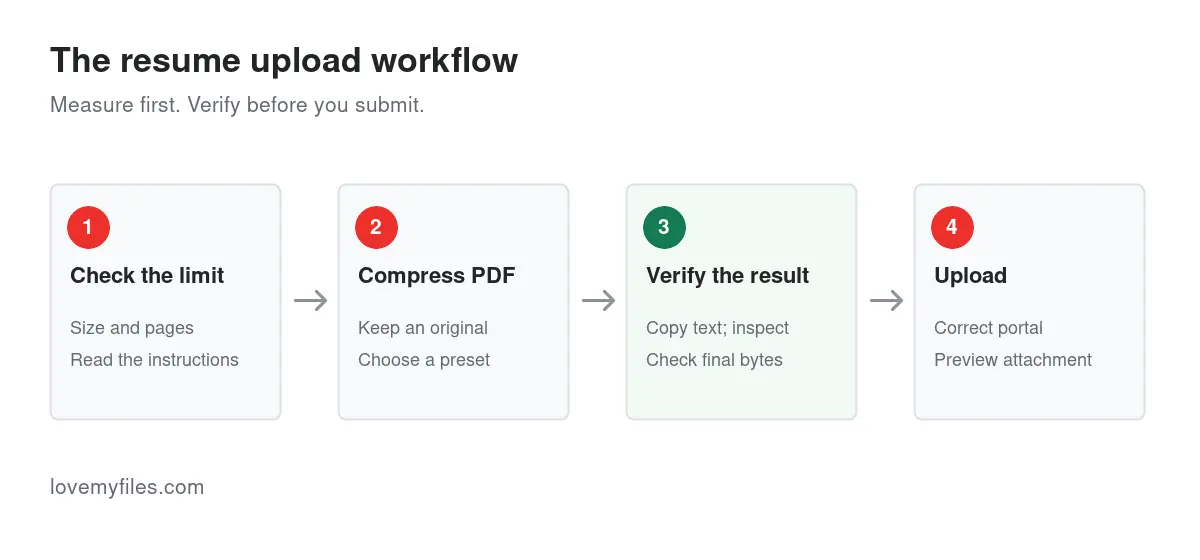
Check the downloaded document before returning to the employer's application. Compression is only one step.
Need Your Resume Under 2MB or 5MB?
There is no universal resume file-size limit. Always follow the limit shown by the employer or application portal.
The examples below are starting points when an application specifies that target, not promises about the size a compression preset will produce. The correct result is a readable document accepted by that particular upload field. Supporting documents may have different requirements.
| Upload target | Best approach |
|---|---|
| 5 MB | Try a normal compression preset, download the result and verify the saved size and readability. |
| 2 MB | Compress the PDF; if it remains over the limit, optimize large images in the editable source and export again. |
| 1 MB | Consider resizing source images or removing unnecessary artwork before making a fresh, text-based PDF. |
| Still too large | Inspect photos, backgrounds, scans and bundled attachments. Remove only material that is unnecessary or permitted separately. |
If no size limit is visible, prioritize a readable resume in an accepted format. If the file is already under the stated limit, investigate the actual error rather than recompressing it. For scanned resumes, a fresh text-based export is preferable when you still have the source.
A blurry 120 KB resume is worse than a clear 1.2 MB resume when the field accepts 5 MB. These are illustrative sizes, not measured LoveMyFiles results. Reducing an accepted file further can introduce visual changes without improving the application.
If a portal rejects a file near its limit, inspect the exact size and units. Some interfaces round megabytes differently. Reduce it a little further without repeatedly sacrificing readability, then confirm the correct file was selected. Download folders often contain several versions with similar names.
Does Compressing a Resume Affect ATS?
Compression can be suitable if the PDF remains readable and text-based. Problems can occur if text becomes images, document structure changes, or the application system cannot parse the resulting file correctly. No compression preset guarantees compatibility with every ATS.
An applicant tracking system, or ATS, helps employers manage applications. Some systems extract information from a resume to populate fields. That process is called parsing. An uploaded attachment and a correctly parsed candidate profile are not the same thing: a file can upload successfully while its contact information or employment history is interpreted incorrectly.
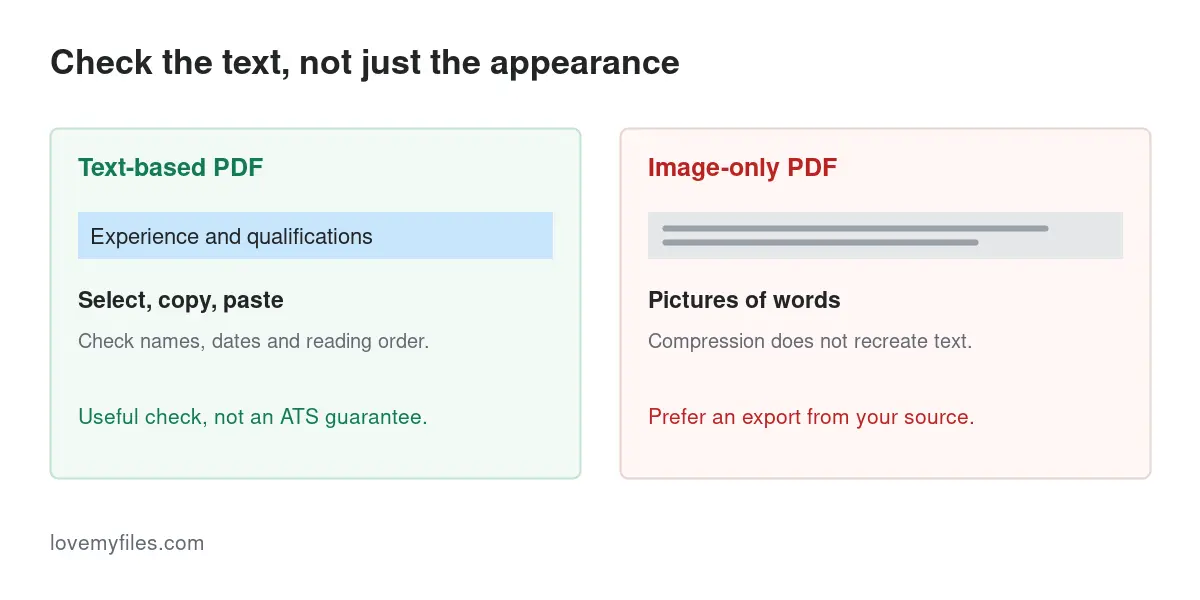
The important distinction is text-based PDF versus image-only PDF. A text-based document contains characters software may extract. An image-only document contains pictures of characters. Normal PDF optimization that retains usable text is generally preferable to turning every page into an image, but compression is not always ATS-safe and no preset guarantees accurate parsing.
Formatting also matters independently of file size. Unusual fonts, columns, layout tables, decorative graphics, and contact details placed inside text boxes can complicate extraction. An icon alone is not a reliable substitute for the words "Email" or "Phone." Clear headings such as Experience, Education, and Skills help a reader understand the structure even when automatic extraction is imperfect.
Greenhouse's official resume-parsing guidance identifies image-based resumes and complex formatting as possible causes of incomplete parsing. This is vendor-specific guidance, not proof that every ATS handles the same file identically. Review any fields that your application auto-fills; correcting an incorrect date is more useful than trusting a generic compatibility claim.
The text-selection test
Open the downloaded PDF and select a complete sentence from your work experience. Copy it into a plain-text editor, such as Notepad or TextEdit in plain-text mode. Repeat with your name, email address, dates, and a heading. If letters disappear, words become garbled, or two columns interleave, compare the original export and consider a simpler source layout.
Being able to copy text is a useful diagnostic, not a complete ATS test. It does not verify every parser, reading order, field mapping, or the relevance of your experience to the job. A PDF viewer's built-in text recognition can also make an image look selectable; when uncertain, regenerate from the editable source rather than assuming the PDF already has dependable text.
Resume PDF Too Large for Workday or Another ATS?
Upload limits vary by employer and application portal. Do not assume all Workday, Greenhouse or Taleo application forms accept the same size or file types. Follow the exact instructions beside the employer's resume upload field, not a limit you found for a different vacancy.
If Workday says your resume is too large, compare the saved file size with that field's limit and compress a copy only if needed. Reopen the download, check selectable text, inspect the layout and test intended links before trying the reviewed copy. Compression does not correct an unsupported file type or a page-count problem.
If the message only says "resume upload failed," first check that the PDF opens, the format is accepted and your application session is still active. Save your answers before signing in again or retrying. The upload-error table below helps distinguish size warnings from other failures.
Where an ATS shows extracted information, review your name, email, employment dates and section contents after uploading. Correct mismatched fields before submitting. A successful attachment upload does not prove the parser read your resume accurately.
USAJOBS Resume PDF Too Large?
For a federal application, read the official USAJOBS document instructions and the job announcement before exporting. Use their current file-size and page-count requirements, not a general resume-upload rule. Check supporting-document fields separately.
Compression changes file size, not the number of pages. A small four-page PDF does not satisfy a two-page rule merely because it uploads somewhere. First edit the source resume to meet the current page requirement and include the information requested for that vacancy. Do not just shrink the font until the document becomes difficult to read.
Use this sequence: check the announcement, prepare the compliant resume, export a PDF, inspect its page count and size, compress only if needed, then review text and layout before uploading. Supporting documents can have different requirements, so read their upload fields separately. LoveMyFiles is an independent document tool, not an official USAJOBS or U.S. government service.
Canva Resume PDF Too Large?
A Canva resume with high-resolution photos, a full-page background, decorative graphics or portfolio screenshots can be much larger than its page count suggests. An export intended for printing may also retain more image detail than a digital job application needs. This does not mean every Canva PDF is too large or image-only.
Return to the editable design and ask which graphics help an employer read the resume. Remove unnecessary decoration and replace oversized pictures with appropriately sized versions. Choose an available PDF export suitable for digital reading rather than assuming the highest print quality is always needed. Export labels and options can change, so inspect what your current editor actually offers.
If that export is still over the employer's limit, compress a copy and review it. Check whether the text is selectable, small characters remain readable and intended links work. Do not turn the whole resume into screenshots merely to make the file smaller: a picture of text is not a dependable replacement for text an application system can extract.
Why Is My 2-Page Resume PDF 10MB?
A two-page resume can be much larger than a ten-page text-only document. Page count measures length, not how much data is embedded in each page. "Two pages, 10 MB" is an example of the problem, not a measured LoveMyFiles result or a normal size you should aim for.
Look for these sources of excess data:
- A large headshot, full-page background or several portfolio screenshots.
- Scanned pages or certificates combined with the actual resume.
- Many font variations, repeated graphics or complex design effects.
- A print-quality export that retains unnecessarily high-resolution artwork.
Inspect the editable source first. Shrinking a photo's on-page dimensions may not remove its original pixels. Resizing or replacing that source image, then re-exporting, can address the cause more directly than repeated compression. Keep the qualifications and contact information; remove unnecessary graphics rather than useful content.
What to Do If Your PDF Is Still Too Large
Large photos or background artwork: return to the source, remove unnecessary decoration, or resize the image before placing it in the document. Making the picture appear smaller on the page may leave its full-resolution data embedded. You can reduce large resume images before placing them in the source and exporting the PDF.
Design-software export: compare the available screen or standard PDF export with print-quality settings. Choose the option that keeps actual text and acceptable appearance; do not assume every design program uses the same export labels. Avoid screenshotting the whole resume as a shortcut.
Scanned resume: recreate the resume from the editable source when possible. If only scans remain, start from clear, upright images and inspect small characters after compression. OCR can make recognition errors and is not a substitute for proofreading names, numbers, and dates.
Portfolio pages or combined attachments: a large portfolio may belong at a separate link or in another upload field, if the employer permits it. Use Split PDF to separate supporting documents only when the application accepts separate files. Splitting a resume to bypass its page requirement is not an appropriate workaround.
Images converted into a PDF: optimize the source pictures first, then use JPG to PDF if an image-based supporting document is required. That conversion packages images; it does not turn a photographed resume into editable text.
A text-heavy PDF barely shrinks: it may already be compact. Compression cannot always find meaningful savings. Keep the clearest result and investigate the export settings or upload message instead of running the same file through repeated aggressive passes.
Compression versus re-exporting: which is better?
| Method | Best for | Advantage | Potential downside |
|---|---|---|---|
| PDF compression | An existing image-heavy PDF | Works without editing the source | Image detail or other document features may change; final size varies. |
| Source-document re-export | An editable resume | Lets you control images and layout before making the PDF | Fonts and page breaks still need checking. |
| Removing unnecessary images | Decorative headshots or backgrounds | Addresses the actual source of excess size | Requires access to the source and a layout review. |
| Rebuilding a scanned resume | A photographed or scanned text document | Restores a genuinely text-based application document | Requires careful re-entry and proofreading. |
| Separating supporting files | A bundle the portal accepts separately | Avoids attaching unrelated material to the resume | Not allowed in every application; follow the instructions. |
If you have the original DOCX, Word to PDF is an available conversion route. Check the result for missing fonts and altered page breaks. If you only have a PDF and need to edit it, PDF to Word may provide a starting point, but conversion can change complex layouts. It is not a guaranteed way to recover the original resume template.
Use Merge PDF only when the employer requests documents together. Combining every attachment "just in case" increases the file size and may put the wrong material into a resume-only field.
PDF or DOCX for Job Applications?
Use the format the employer accepts or requests. A PDF is useful when you want to submit a fixed page layout; DOCX may be explicitly requested for a different recruitment workflow. Neither extension alone guarantees correct ATS parsing. Keep the editable document even if you submit a PDF.
When both are accepted, compare the actual files rather than choosing by habit. Does the PDF retain selectable text and the intended page breaks? Does the DOCX display correctly, with the expected fonts, when reopened? Review extracted fields in the application if a preview is provided. Do not rename a PDF to .docx or submit a ZIP archive to get around a PDF-only upload requirement.
Common resume PDF upload errors
| Message or symptom | What to check | Practical next step |
|---|---|---|
| File exceeds maximum allowed size | Actual bytes and the limit for this field | Compress or re-export, then check the saved copy. |
| Unsupported file type | Accepted extensions and the file's real format | Export an accepted format; renaming an extension is not conversion. |
| Upload failed without a size warning | Connection, session, and portal availability | Save your answers, reconnect or sign in again, and retry. |
| Document is password protected | Whether the original opens without a password | Submit an authorized unprotected copy if the instructions require it. |
| File is corrupted | Whether every page opens in a PDF reader | Export a fresh file from the source rather than repeatedly uploading a damaged copy. |
| Page limit exceeded | Required page count, including blank pages | Edit the source and re-export; compression does not shorten it. |
| Filename rejected | Portal naming rules and unusual punctuation | Use a straightforward name such as Jordan-Lee-Resume.pdf. |
| Wrong information is auto-filled | Parsed contact details and employment dates | Correct the application fields and consider a simpler document layout. |
University employment systems, HR onboarding portals, and recruiter email workflows can each impose different constraints. Do not assume a file accepted on one website will satisfy another. For email, ask the recruiter which format is wanted; a mailbox attachment limit is not necessarily the same as an ATS parsing limit.
If the upload keeps failing even with a readable, accepted, under-limit file, use the portal's support channel. Include the exact error, file type, size, and time of the attempt. Do not publish your resume or personal application details in a public troubleshooting forum.
How to keep your resume small from the start
Maintain an editable master resume and export a separate application copy for each vacancy. Use actual text for job history and skills rather than pictures of text. Prefer a clean layout to large backgrounds, and resize any necessary logos before inserting them. Avoid print-resolution artwork when a screen-readable document is sufficient.
Keep portfolios separate when the employer allows a link. Use readable font sizes and ordinary section headings; removing important information to save a few kilobytes is a poor trade. After changing the source, check the PDF again. Even a small wording change can push a heading onto another page.
Technical note: how PDF compression works
LoveMyFiles processes PDF compression on its server using Ghostscript's PDF-writing engine. This is not a browser-only operation, an OCR step, or an ATS certification service. The engine rewrites the PDF rather than simply changing its extension. Text-based input does not have to become a whole-page screenshot, but individual documents still need checking.
Check your email, portfolio, and professional-profile links after compression. Ghostscript reconstructs a document, and non-visible PDF features can behave differently in the rewritten output. Its official PDF-writing documentation explains why output internals may differ. Keep useful destinations written as readable text as well as clickable links; an employer should not have to rely on a hidden annotation to find your portfolio.
Job Application PDF Checklist
Before uploading your resume, confirm that the final copy:
- Meets this portal's displayed file-size and page-count limits.
- Uses an accepted file type and opens without errors.
- Shows the intended fonts, characters, and all pages.
- Keeps text selectable where the source is text-based.
- Has readable contact details and working intended links.
- Contains no accidental blank pages or unrelated attachments.
- Uses a professional filename and the correct job-specific version.
- Has no password protection unless explicitly requested.
- Has been visually reviewed after the final compression or export.
- Appears as the correct attachment and has accurate parsed fields in the application preview, if available.
A straightforward filename such as firstname-lastname-resume.pdf can make the correct version easier to identify. Follow any specific naming rules in the application; this example is not a required convention.
Ready to upload your resume?
Reduce the PDF size only as much as needed. Reopen the downloaded result, verify its text and layout, then submit it to the correct job-portal field. Keep the original and the editable source so the next application starts from a reliable document.
Compress PDF for Your Job Application
Frequently asked questions
Can I compress a resume without losing quality?
Sometimes a document has redundant data that can be reduced with little visible difference; image-heavy files may need more noticeable changes. No preset guarantees unchanged quality for every PDF. Start conservatively, compare small text and graphics, and keep the original if the compressed copy is less readable or changes important content.
Will compressing my resume affect ATS?
It can, depending on the source and how the PDF is rewritten. Preserving usable text is preferable to making every page an image. Check copied text and review the portal's auto-filled fields. These checks reduce avoidable problems, but they do not certify compatibility with every ATS or guarantee an application outcome.
Is PDF better than DOCX for a job application?
Follow the employer's instructions. PDF can keep page layout stable, while DOCX may be specifically requested for editing or another workflow. Neither format guarantees correct parsing. Use the accepted format, keep an editable source, and check what the application actually extracts. USAJOBS currently recommends PDF for its resume-upload workflow.
Can I compress a resume on my phone?
You can open the online PDF tool in a mobile browser, choose the file, process it, and download the result. Open the saved copy in your phone's PDF viewer and inspect each page before uploading. If text selection is difficult on a small screen, do the final check on a computer when available.
Why did the application reject my PDF if its size is fine?
Size is only one restriction. The upload may reject a protected or damaged document, an unsupported format, a filename, or too many pages. A connection or session problem can also interrupt submission. Read the exact error, check the correct file was selected, and use the portal's support option if the problem persists.
Should I ZIP my resume?
Not unless the application explicitly accepts or requests a ZIP archive. An archive is a different file type and may not be readable as a resume by the upload field or parser. Submit the requested document format instead. ZIP is not a dependable workaround for a PDF-only field's maximum size.
How do I check whether the compressed PDF is searchable?
Try selecting and copying several sentences, then use the PDF reader's Find feature to search for a distinctive word. Check contact details and dates as well. A viewer may supply its own OCR, so this is a practical check rather than proof of a reliable embedded text layer for every application system.
Try a related tool
Compress PDF files online with a selectable quality level, an estimated output size, and a separate downloadable result.
Compress PDF Online - Reduce PDF File SizeRelated Guides
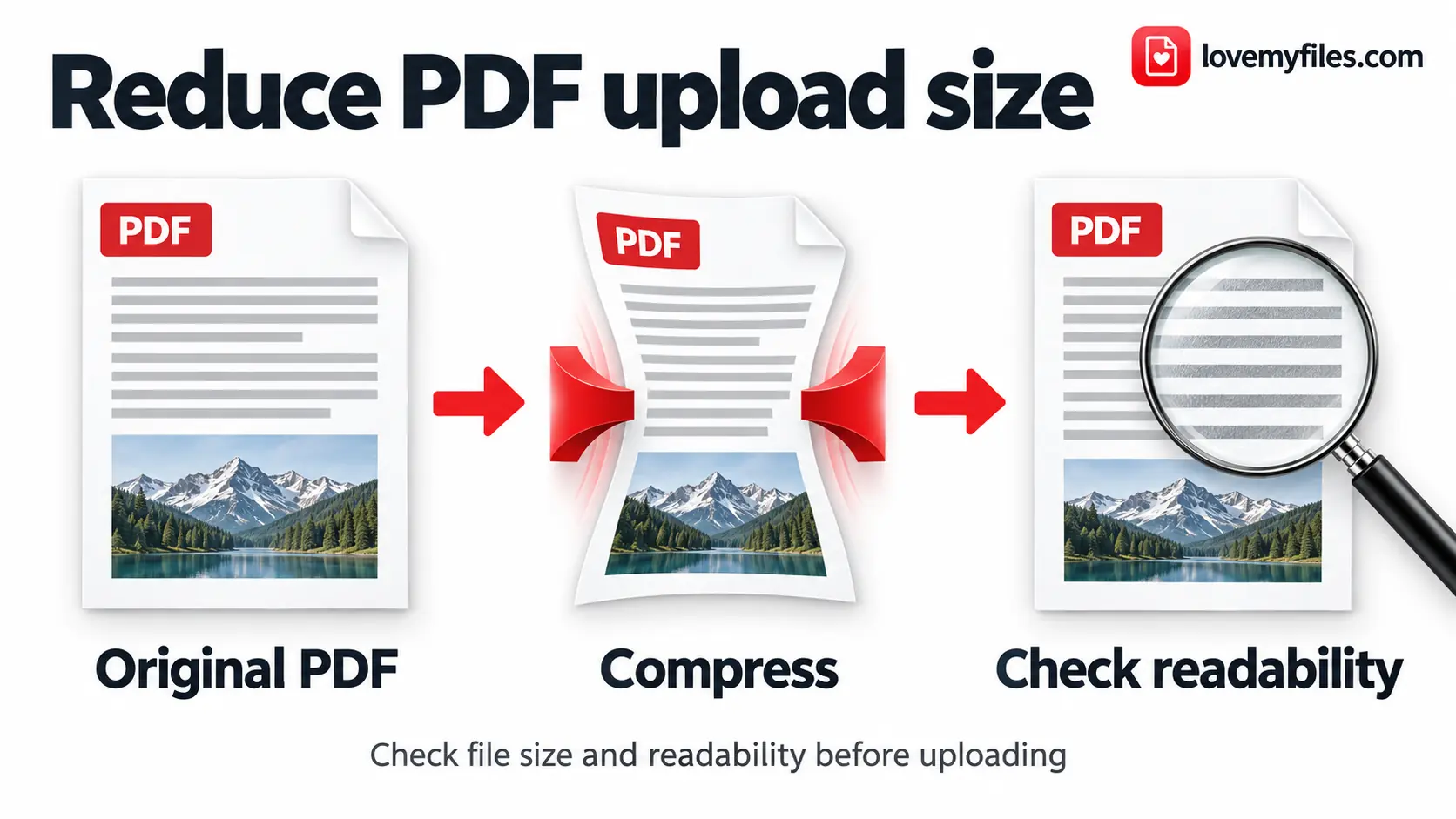
How to Reduce PDF Size for Upload Limits
Reduce PDF size for 1MB, 500KB, 200KB or 100KB upload limits. Choose a preset, check actual bytes, and keep scans readable with LoveMyFiles.com.
How to Convert Multiple JPGs to One PDF for Free
Combine JPG and PNG images into one PDF with LoveMyFiles.com. Set page order, size, orientation and margins, then check readability and upload size.

Build an Event Sharing Kit with PDFs, Images, Short Links and QR
Prepare an event PDF, screen images, a managed link and a printable QR. Check privacy, file quality and the complete visitor journey before sharing.

Organise Scanned Receipts and Documents into a Usable Sharing Copy
Prepare clear document images, group related PDFs, extract text when appropriate and check privacy without treating OCR output as verified financial data.