Why Short-Link Clicks and Website Visits Do Not Match
Investigate short-link clicks versus website visits by checking dates, metrics, redirects, campaign parameters and destination changes without guessing the cause.
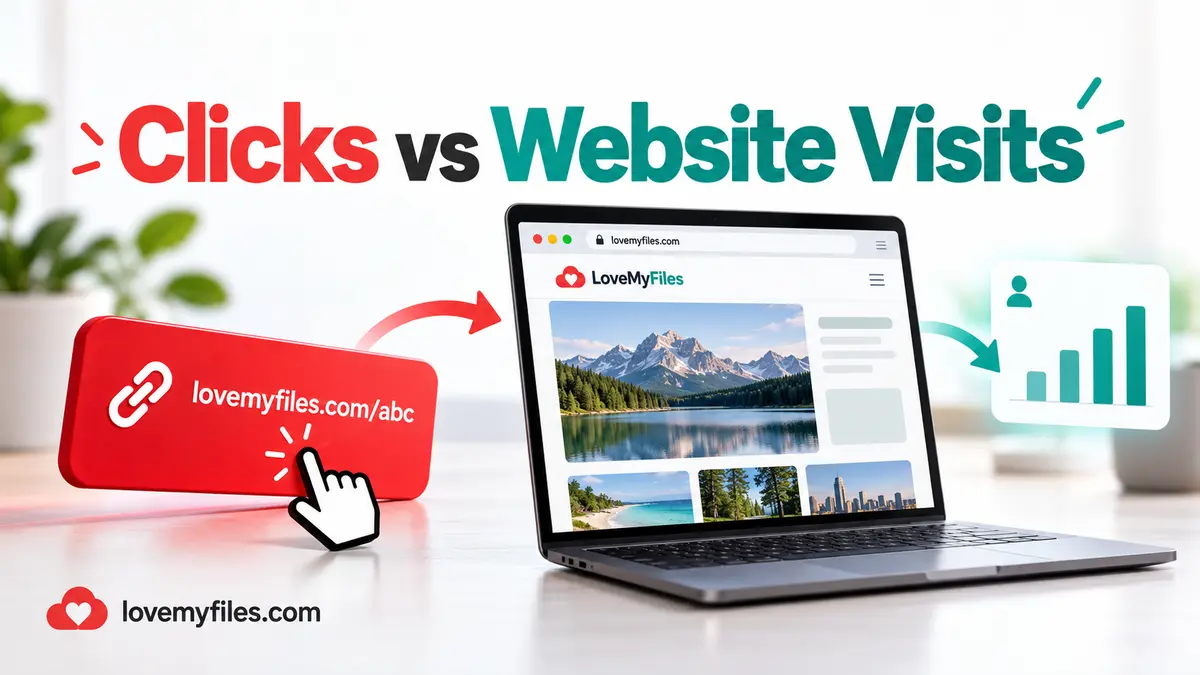
A short-link click and a website visit are not the same measurement. The shortener records activity at the redirect, while website analytics measures activity after the destination loads and its tracking conditions are met. Compare them to investigate a journey, not to force two different systems to report identical numbers.
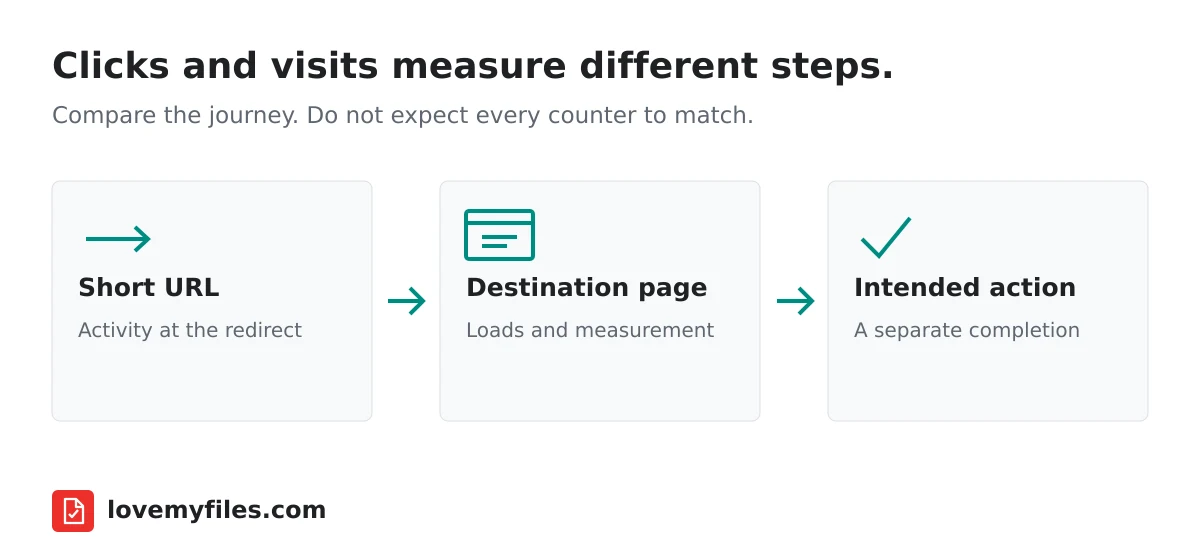
Identify what each dashboard is counting
Start with the LoveMyFiles URL Shortener link you actually shared. Confirm its destination and inspect that link's analytics rather than a different link with a similar title. If you used separate links for email and a poster, combining one with the other's website traffic will not produce a meaningful comparison.
Then check the metric in your website analytics. Views, sessions, users and events answer different questions. A person can click twice within a single session, reload a page or visit several pages. Google's GA4 session documentation explains session grouping; it should not be interpreted as a definition of a shortener's click counter.
Do not call a displayed click count a count of confirmed people unless the system explicitly supports that interpretation. A redirect request is evidence of activity at that point, not proof of a completed signup, purchase or form submission. Choose the outcome metric that matches the purpose of the link.
Match dates, time zones and the exact link
Use the same date range on both sides. A campaign running near midnight can fall into different calendar days when dashboards use different time zones. Compare a sufficiently broad period first, then investigate narrower intervals after confirming how each dashboard groups its data.
Check whether you are viewing one selected link or an overview of several links. Note any retention limitations or missing earlier data shown by the interface. An empty range is not automatically proof that nobody clicked; it may be a range without retained records or a filter that does not include the link being examined.
Keep a short record of the campaign: which link was used, where it was published and when its destination changed. This is more helpful than relying on memory when a social post, printed card and email all contain slightly different addresses.
Inspect the redirect and the landing page separately
Copy the short URL from the dashboard and open it in a fresh private browser window. Confirm that it redirects to the intended destination. Check the destination on mobile as well. A page that loads on your laptop while you are signed in may redirect another visitor to a login or permission screen.
Next inspect the final address after any further redirects. A website can forward from one page to another, change domains or remove query parameters. If campaign information disappears along the way, the website may still receive visits without attributing them to the campaign you expected.
An inactive, expired or blocked link needs attention before analytics interpretation. LoveMyFiles exposes these states in its link interface. Fix the availability problem or create the appropriate replacement; editing a chart filter does not repair the redirect itself.
Why some clicks may not become measured visits
A visitor can close a tab before the destination finishes loading. A connection can fail after the redirect. The landing page may have an error, a slow response or a permission requirement. Those situations can create activity at the short link without a completed page journey.
Website measurement may also depend on consent, browser settings, extensions and whether the analytics script loads. These are possible causes to investigate, not a diagnosis you can make from the difference between two totals alone. Do not disable privacy controls just to make a report look more complete.
Automated previews and security checks are another possibility when links are shared through messaging or email services. Different systems may treat automated requests differently. Avoid claiming that LoveMyFiles eliminates all bots or that every remaining request represents a human; that would require evidence beyond an aggregate counter.
Campaign parameters help attribution, not identity
UTM parameters describe a campaign source, medium or name. They are not a unique visitor identity and should not contain private information such as an email address, customer number or phone number. A public URL can be copied, logged or forwarded beyond its original audience.
Keep parameter naming consistent. Use a small agreed vocabulary rather than changing the campaign name between posts. If you need the basics of shortening and campaign setup, the existing short links, UTM tracking and QR guide covers that workflow. This guide focuses on interpreting the later results.
When a QR contains a short URL, scanning and opening the link are also separate actions. A phone may detect the code without the person opening it. Do not interpret the existence of a readable QR as proof that its destination received a visit.
Be careful when changing a destination mid-campaign
LoveMyFiles supports editing a link's destination through the owner interface. That is useful when a landing page moves, but it means one short URL can lead to different pages at different times. A single website page's report may therefore describe only part of that link's history.
Record the change date and check the new destination immediately. Confirm the final address, permissions and campaign parameters. If the old destination had a problem, changing the URL will help future visitors; it does not rewrite what earlier visitors experienced or guarantee that old visits appear in the new page's analytics.
For a printed QR code, also check whether the short link expires before the printed material is retired. Maintenance of the redirect is part of maintaining the physical campaign.
Use a practical investigation checklist
Start with availability: does the exact short link open the right public page? Then match the selected link, dates and dashboard time zones. Check the metric names and final campaign parameters. Finally, inspect landing-page performance, analytics configuration and consent behaviour if the difference still requires explanation.
Document what you verified and what remains uncertain. Reporting that a link received activity while a form recorded fewer completions can be perfectly reasonable. A funnel normally narrows as people decide whether to continue. The important question is whether the difference reveals a broken step, not whether the totals can be made identical.
Should short-link clicks equal GA4 sessions?
No. Redirect activity and sessions are measured at different points and use different grouping rules.
Can a destination change affect my comparison?
Yes. Traffic before and after the change may reach different pages. Keep the change date alongside your report.
Does a click prove a visitor completed the intended action?
No. Measure the relevant completion, such as a submitted form, on the destination using an appropriate and privacy-conscious setup.
Try a related tool
URL ShortenerRelated Guides

QR Code Printing Checklist: Margin, Export and Scan Testing
Prepare a QR code for print: verify the destination, preserve its clear margin, choose an export and scan a proof at the final size before distributing it.
How to Shorten a URL, Add UTM Tracking and Create a QR Code
Build a manageable campaign link with LoveMyFiles: choose an address, add UTM tags, download a QR code, set expiry and read click analytics carefully.

A Practical UTM Naming Plan for Short Links and QR Campaigns
Separate campaign source, medium and name. Build consistent tagged destinations, check short-link redirects and avoid putting personal information in URLs.

Build an Event Sharing Kit with PDFs, Images, Short Links and QR
Prepare an event PDF, screen images, a managed link and a printable QR. Check privacy, file quality and the complete visitor journey before sharing.