How to Shorten a URL, Add UTM Tracking and Create a QR Code
Build a manageable campaign link with LoveMyFiles: choose an address, add UTM tags, download a QR code, set expiry and read click analytics carefully.
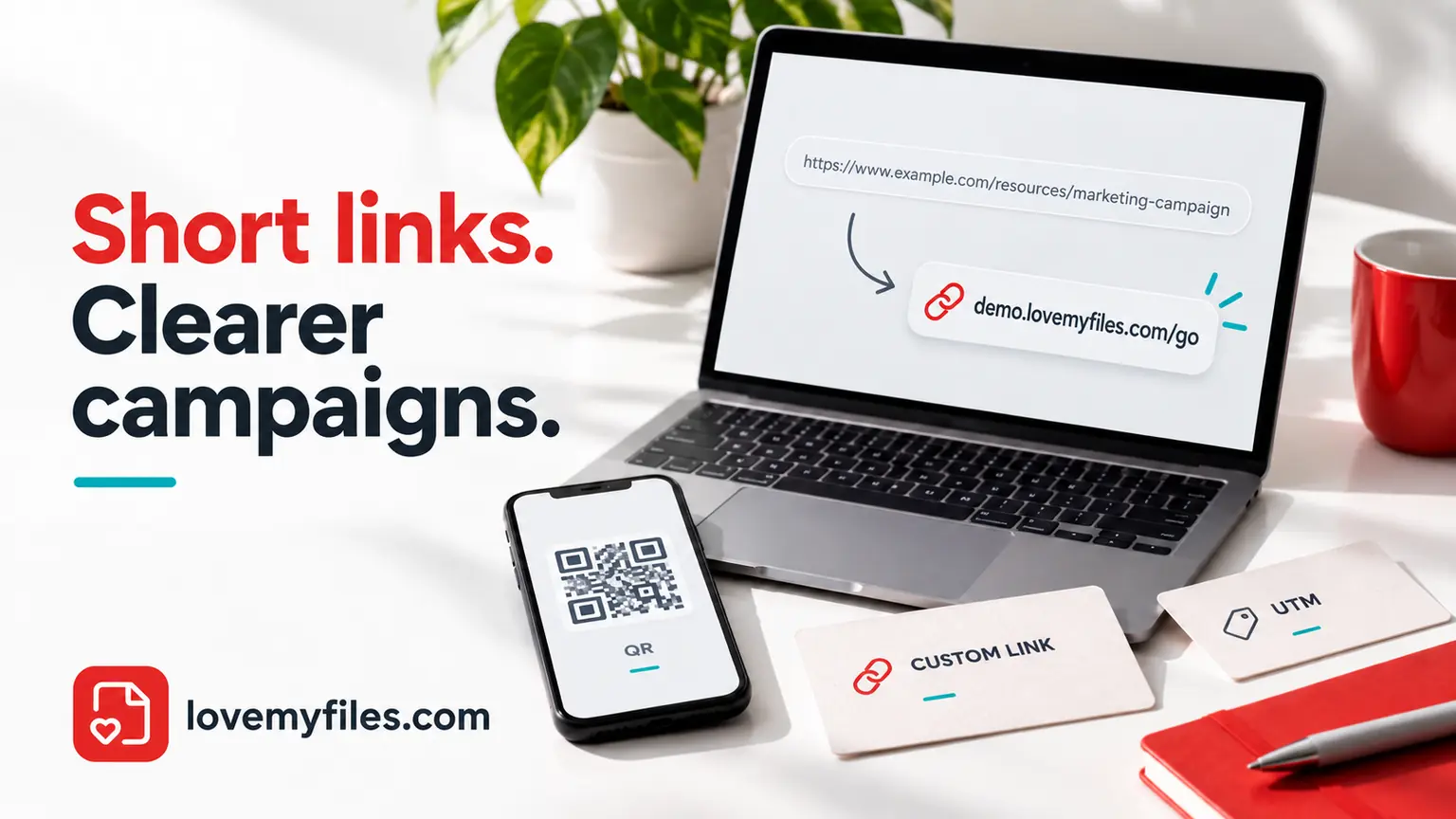
A short link is useful when a web address is too long to read aloud, fit on a printed card or share neatly in a message. The important part is not just making the address shorter: it is knowing where it goes, keeping it manageable and checking what happens after you share it.
This guide walks through the LoveMyFiles URL Shortener with one example campaign. You will choose a custom address, add UTM tracking, make a QR code and understand which settings you can change later. The example addresses are illustrative, not links created for this article.
Start with the destination, not the short link
Suppose you are sharing a workshop registration page in an email and on a printed poster. Your destination could look like https://example.com/workshop?session=morning. The session=morning part matters: it may select a particular session on the destination website. Do not remove it simply to make the address look cleaner.
Open the destination first. Check that it loads the intended page, works on your phone and does not depend on your private login session. Use HTTPS where the destination supports it. If visitors should complete a form, check the form as well; a working redirect does not establish that registration works.
LoveMyFiles accepts public HTTP or HTTPS destinations. It rejects credentials embedded in URLs, private or internal addresses, unsupported ports and destinations pointing back to LoveMyFiles. This last restriction helps avoid redirect loops. These checks do not certify the destination as trustworthy or inspect everything on that website.
Do not put passwords, confidential document tokens or personal details in a campaign URL. A short address makes a URL less visible in a message; it does not make the underlying destination private. Anyone who follows the link can see the destination in their browser.
Create a short link with LoveMyFiles
Paste the full URL
Enter the destination in the main URL field, then choose Shorten URL. You can start filling in the form as a guest, but creating and managing saved links requires a LoveMyFiles account. If you are not signed in, the tool asks you to sign in or create an account before it saves the link.
The guest draft lasts 15 minutes. Complete sign-in promptly, and check the destination again if the draft expires. Following a valid short link does not require the recipient to have an account.
Choose the address you want to share
Open the customization section to review the Brand and Custom alias fields. An illustrative address is workshop-demo.lovemyfiles.com/join-workshop. Here, workshop-demo is the brand subdomain and join-workshop is the alias. You do not need to configure DNS for a LoveMyFiles brand subdomain. This is not the same as connecting a domain that you own.
The form supplies a generated brand by default. If you prefer a recognizable name, choose one you are entitled to use. Brand names accept lowercase letters, numbers and hyphens, and must start and end with a letter or number. The alias accepts lowercase letters, numbers, hyphens and underscores, and starts with a letter or number. Leave the alias blank to let the tool generate one.
Some names are reserved. A brand already held by another account, or an alias already reserved under that brand, is not available. Deleting a link does not make its old address reusable. Choose a short, understandable alias rather than repeatedly trying variations of a protected name.
Check the finished link
Copy the result and open it in another browser tab. Confirm the final page and its query parameters. If you plan to share the link in a message, send a test message to yourself and open that version too. This catches punctuation accidentally included after the URL and mistakes made while copying.
The brand and alias cannot be edited after creation. The destination, title, campaign settings, expiry and active status can be managed from your account. Check the address before printing it; changing the name later requires a different link.
Add UTM tracking without losing existing parameters
UTM parameters are labels attached to the destination URL. They help a suitably configured analytics system on that destination identify the campaign. They do not install analytics, guarantee that a visit will be recorded or count completed registrations by themselves.
Google recommends supplying utm_source, utm_medium and utm_campaign together when tagging campaign URLs. Source identifies where the visit comes from, medium describes the channel, and campaign groups the promotion. Optional content can distinguish placements; term can describe a keyword. Use consistent spelling and capitalization so related visits are not split between differently named values. See Google Analytics: collect campaign data with custom URLs.
For the workshop email, open the campaign settings and enter:
- UTM source:
workshop-newsletter - UTM medium:
email - UTM campaign:
autumn-workshop - UTM content:
main-button
The effective destination becomes https://example.com/workshop?session=morning&utm_source=workshop-newsletter&utm_medium=email&utm_campaign=autumn-workshop&utm_content=main-button.
LoveMyFiles preserves unrelated query parameters such as session=morning. A non-empty campaign field replaces the matching UTM parameter already present in the destination. Leaving a campaign field empty preserves a matching parameter that is already in that destination URL. To remove such a parameter altogether, edit the destination itself rather than assuming an empty campaign field will strip it.
Keep campaign names useful to your team. A date, project name or placement can be helpful; stuffing keywords into every parameter is not. Avoid including a person's name, email address or other personal information in tracking values. Before launching, follow the short link and verify the resulting parameters on the destination page.
Separate email and poster links when the placement matters
If you want to distinguish the workshop email from the poster, create separate short links for those placements. They can lead to the same registration page while carrying different campaign settings. For the poster, you might use utm_source=workshop-poster, utm_medium=qr and the same utm_campaign=autumn-workshop.
This arrangement makes the intention of each link clear. Sharing the very same link in several places mixes their traffic unless you have another reliable way to distinguish it. Also remember that a poster link copied into an email will still carry the poster's labels. Campaign values describe how the link was prepared, not a verified record of where every recipient encountered it.
Use a title that helps you find the link later, such as Workshop poster - main entrance. The title is an account-management aid; the brand and alias remain the public address. Keep a small record of which link appears on each printed or digital asset so you can update the correct destination later.
Turn the short link into a QR code
Use the QR action on your saved link to download PNG or SVG. PNG is convenient for many everyday layouts; SVG is useful where the design or printing workflow accepts vector artwork. If you need to change the appearance, choose Customize QR to open the QR Code Generator with the short-link value filled in.
Use the QR that points to your saved short link when you want to change the destination later. A static QR that encodes the registration website directly does not gain that ability merely because it was made with the QR Code Generator.
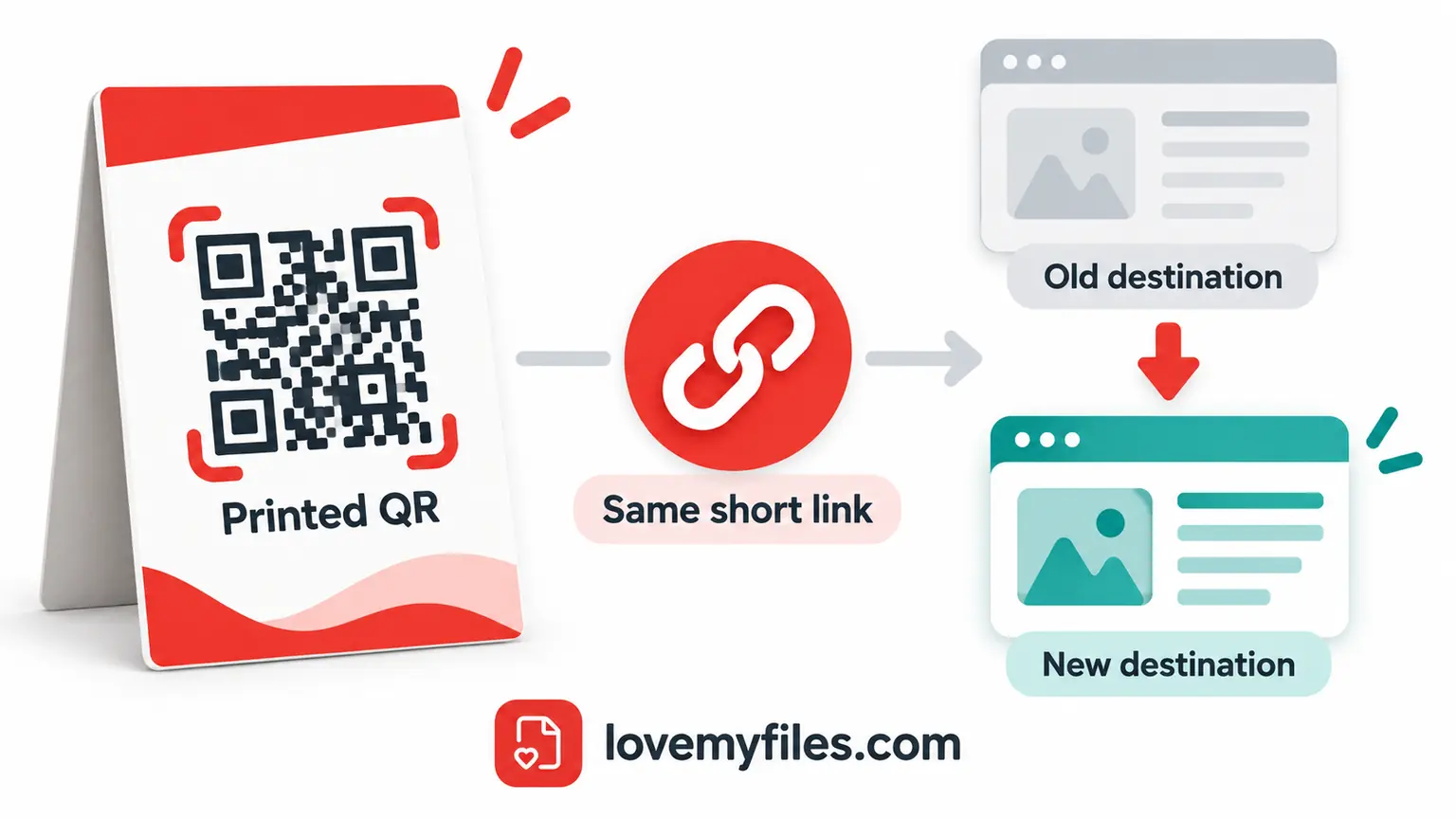
Illustrated workflow: the printed QR keeps its short-link address; you edit the destination behind that address. The QR pattern above is illustrative, not a published campaign code.
Check the exported QR in the actual layout, not only in the preview. Scan a draft on more than one phone when possible, make sure the code is not stretched or clipped, and leave clear space around it. If the code will be printed, test the printed size before distributing a large batch. Visual customization and successful preview rendering do not guarantee that every camera can read the final printed asset.
Keep a readable short address next to the QR for people who prefer typing or cannot scan it. Label the destination clearly, for example Workshop registration, instead of asking someone to scan an unexplained code.
Change the destination without reprinting the QR
Suppose the workshop registration moves from one public page to another. Open your saved links, locate the correct entry and edit its destination. Save the change, then follow the existing short address and scan the already-exported QR again.
The short-link address remains the same because its brand and alias are unchanged. LoveMyFiles uses a temporary redirect for editable links. The QR image also remains the same if it encoded that short address. It is the saved destination that has changed, not the data printed in the QR.
Recheck campaign settings after every destination edit. Existing UTM fields are separate settings and can still be applied to the new destination. Do not leave an old workshop campaign attached to an unrelated page by accident. Also confirm the new page is appropriate for people who saw the original poster; silently sending them somewhere unrelated can undermine trust.
For a different requirement, such as routing iPhone users to the App Store, Android users to Google Play and desktop visitors to a website, use Smart App QR. The ordinary URL Shortener forwards to one configured destination; it does not become a device-routing link because a QR is attached.
Set expiry and know what it means
Expiry is useful for a time-limited registration or temporary resource. The form takes your local date and time; the saved instant is normalized to UTC. Account analytics uses UTC dates, so an expiry near midnight can appear on a different calendar date in a UTC report.
After expiry, the short link no longer forwards to its destination. Pausing it also stops forwarding. Expiry does not delete the destination website, cancel a registration or stop people who already know the original URL from opening it directly. It controls the LoveMyFiles redirect, not access on another service.
Avoid a near-term expiry on permanent signs, business cards or printed manuals. If a campaign ends, decide deliberately whether to pause the link or update it to an appropriate public information page. Test this behavior before relying on it for a deadline.
Read analytics without treating every click as a person
LoveMyFiles records short-link activity and provides account analytics. A click is a redirect request, not proof of a completed form, sale or download. Your own tests can generate activity. Messaging platforms and other automated clients can also request a link, and suspected bot traffic is identified separately.
Unique visitors are approximate. They are calculated per link using a rotating visitor identifier, not a verified person or account identity. Identifiers rotate after 30 days, so a returning browser can be represented differently later. Device and browser information is inferred, and country may be unavailable when the server does not receive a trusted location header.
QR activity means QR-tagged opens. The generated QR adds a marker to the short link, but someone can copy and open that marked URL without using a camera. Do not report those numbers as independently verified scans. Compare them with the destination's own registration or conversion records when evaluating a campaign.
Detailed click events are retained for up to 90 days and daily aggregates for up to 365 days, with scheduled cleanup. Lifetime counters can remain while the link exists. The analytics database does not store raw IP addresses or full user-agent strings; infrastructure access logs are separate. See the LoveMyFiles privacy policy for the wider privacy context.
Troubleshoot the problem you actually see
The destination is rejected
Check for a missing scheme, pasted spaces, embedded credentials or a private network address. Enter the full public HTTPS URL where possible. If the site is unreachable or its hostname cannot be resolved to public addresses, correct the destination rather than bypassing validation. A URL pointing back to LoveMyFiles is not supported as a destination.
The short address is unavailable
Review the brand and alias rules and check whether the name is reserved. The same brand cannot be claimed by two different accounts. A deleted alias stays reserved. Use the generated values or choose another meaningful name; the tool cannot promise that every requested address will be available.
The QR opens an old page
First check what the QR actually encodes. If it contains the destination URL directly, editing a short link cannot change it. If it contains your short address, confirm that you edited the right entry, saved the update and kept the link active. Test by opening the short address directly before inspecting the QR layout.
Campaign reports do not match click counts
Inspect the final destination URL for the intended UTM values, check the destination's analytics setup and account for the UTC date range. Redirect requests and analytics sessions measure different events. Consent choices, blockers, automated traffic and different reporting periods can all affect comparisons. Matching totals are not a prerequisite for the redirect to work correctly.
A final check before you share
- Open the original destination on desktop and mobile.
- Create the saved link while signed in and verify its final page.
- Check the brand and alias before printing; they cannot be edited later.
- Confirm campaign parameters and keep email and poster placements distinct when needed.
- Scan the exported QR in its final layout and include a readable address.
- Review expiry, active status and the destination whenever the campaign changes.
Start with the URL Shortener, use the QR Code Generator when appearance matters, and choose Smart App QR only when you need platform-specific destinations. A clear link, an accurate label and a tested final page are more useful than a short address alone.
Try a related tool
URL ShortenerRelated Guides
QR Code Printing Checklist: Margin, Export and Scan Testing
Prepare a QR code for print: verify the destination, preserve its clear margin, choose an export and scan a proof at the final size before distributing it.
Why Short-Link Clicks and Website Visits Do Not Match
Investigate short-link clicks versus website visits by checking dates, metrics, redirects, campaign parameters and destination changes without guessing the cause.

A Practical UTM Naming Plan for Short Links and QR Campaigns
Separate campaign source, medium and name. Build consistent tagged destinations, check short-link redirects and avoid putting personal information in URLs.
Build an Event Sharing Kit with PDFs, Images, Short Links and QR
Prepare an event PDF, screen images, a managed link and a printable QR. Check privacy, file quality and the complete visitor journey before sharing.