A Practical UTM Naming Plan for Short Links and QR Campaigns
Separate campaign source, medium and name. Build consistent tagged destinations, check short-link redirects and avoid putting personal information in URLs.

A consistent UTM naming plan makes campaign reports easier to interpret. Decide what the source, medium and campaign mean before shortening a URL or placing it in a QR. A short link can make the address easier to share, but it cannot repair inconsistent labels in the destination.
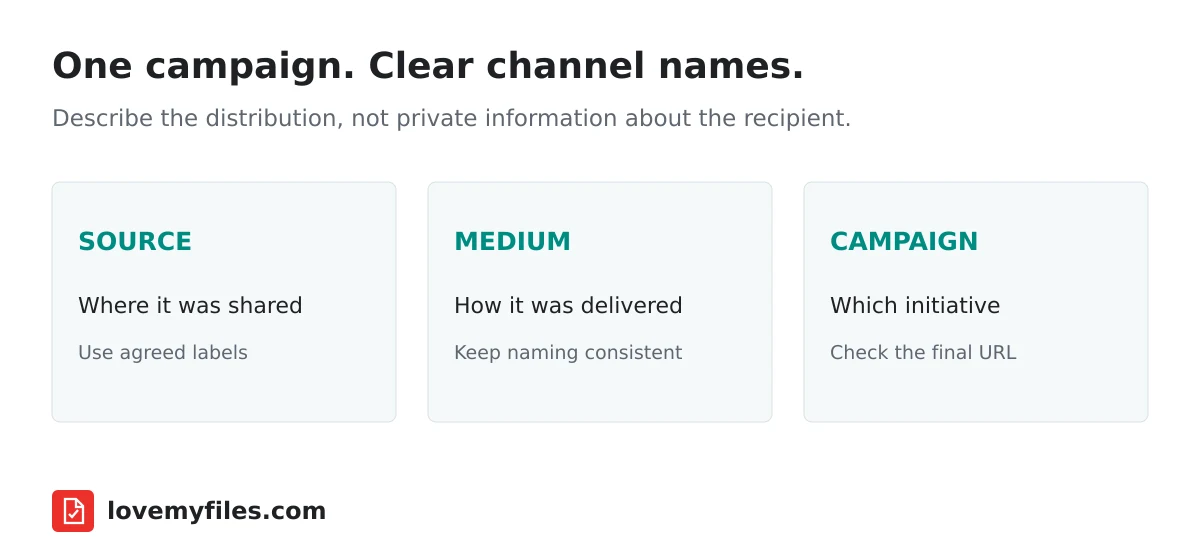
Give each parameter one job
The source identifies where traffic comes from, the medium identifies the delivery channel and the campaign groups a particular initiative. For example, an email newsletter might use a source identifying that newsletter, an email medium and a campaign identifying the promotion.
Do not put the same vague word into every field. That leaves you with parameters but little useful context. Google's campaign URL guidance recommends a standardised UTM strategy and consistent relevant parameters.
Choose labels that your team will understand later. A date or short campaign identifier can distinguish repeated promotions, but avoid adding complexity that nobody will maintain.
Write a small naming agreement
Use a short document listing the allowed source and medium names and the campaign identifier for the current project. Decide on consistent casing and separators. Agreement matters more than choosing a supposedly perfect label that every person types differently.
For example, a fictional autumn workshop could use the following agreement. These are illustrative labels, not LoveMyFiles campaign results.
| Placement | utm_source | utm_medium | utm_campaign |
|---|---|---|---|
| Newsletter email | newsletter | autumn_workshop | |
| LinkedIn post | social | autumn_workshop | |
| Printed event card | event_card | qr | autumn_workshop |
Keep the campaign label identical across placements, and use lowercase consistently. A forwarded newsletter link still carries its original labels; tagging records the address used, not a verified identity or the complete sharing journey.
The printed code may be associated with a label such as a poster or event card. That label describes your distribution choice; it does not prove that every visit actually came from that physical object. Public links can be forwarded.
Keep personal information out of the URL
Do not use email addresses, phone numbers, customer identifiers or confidential notes as campaign labels. URLs may be copied, forwarded and logged. UTM parameters should describe the campaign, not identify a particular recipient.
Likewise, a short URL is not a privacy wrapper around a destination. Visitors can reach the final address, and the destination can contain query parameters. Keep public link information suitable for public distribution.
If you need access control, configure that on the destination. Campaign tagging does not authenticate visitors, and knowing a short link should not be treated as a substitute for an actual permission check.
Build the destination before creating the short link
Prepare the full destination with its campaign parameters and open it. Confirm that the page works and the parameters remain meaningful. Use the existing short links and UTM guide for the basic workflow, then save the approved destination in URL Shortener.
Watch for an existing query string. A URL that already contains a question mark needs additional parameters added correctly, not a second unrelated question mark. Avoid manually applying URL encoding repeatedly: double encoding can change values or make the destination interpret them incorrectly.
Copy the resulting short URL from the tool, then test it in a private browser window. Inspect the final destination after any website redirects. A working first redirect does not prove that the final site retained your campaign information.
Separate channels without creating needless clutter
Use separate managed links when you need distinct owner-side reporting or destination controls. If several channels truly share one link, document that limitation instead of promising to separate them perfectly afterwards.
For a QR code, use the approved channel-specific address. Generate the final code only after the destination is stable. A printed code containing the wrong campaign label cannot be corrected by changing a spreadsheet entry.
Do not create dozens of slightly different labels merely to make the campaign look sophisticated. A naming plan should reduce ambiguity, not introduce a reporting vocabulary too large to use consistently.
Review changes and interpret results carefully
If you edit a short link's destination, record the date and the new campaign values. Its history may then span different pages or attribution settings. Maintain a record alongside the link's title so the report can be understood later.
Check campaign reports using a consistent time range. Website sessions and short-link activity are different measurements, as the clicks versus visits guide explains. Do not expect tagging to make those totals identical.
Before launching, ask another person to open the exact public link and describe where it leads. This simple independent check can uncover the wrong destination, an inaccessible page or an outdated campaign label before the mistake spreads across channels.
Are UTM labels a tracking identity for one person?
No. Use them to describe campaign context, not to place personal details into public URLs.
Does shortening a URL remove its UTM parameters?
The destination you configure determines what is passed onward. Test the final address after all redirects instead of assuming.
Can forwarded links distort channel interpretation?
Yes. A person can share a channel-labelled link elsewhere. Treat attribution as campaign evidence, not a perfect account of every person's route.
Try a related tool
URL ShortenerRelated Guides
QR Code Printing Checklist: Margin, Export and Scan Testing
Prepare a QR code for print: verify the destination, preserve its clear margin, choose an export and scan a proof at the final size before distributing it.
Why Short-Link Clicks and Website Visits Do Not Match
Investigate short-link clicks versus website visits by checking dates, metrics, redirects, campaign parameters and destination changes without guessing the cause.
How to Shorten a URL, Add UTM Tracking and Create a QR Code
Build a manageable campaign link with LoveMyFiles: choose an address, add UTM tags, download a QR code, set expiry and read click analytics carefully.

Build an Event Sharing Kit with PDFs, Images, Short Links and QR
Prepare an event PDF, screen images, a managed link and a printable QR. Check privacy, file quality and the complete visitor journey before sharing.